When paying multiple payroll calculations, you can determine what should happen to the employee and the payroll calculation after payment.
You can find more information about paying a payroll calculation in: Paying a payroll calculation
Options when paying a payroll calculation
When you pay multiple payroll calculations at the same time, you will see a few additional options.
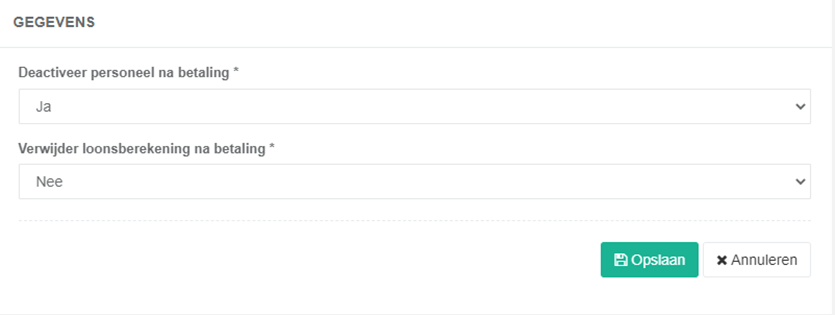
Set employee to inactive
You can choose to automatically set the employee to inactive after payment.
This is useful, for example, when the employee no longer works for you and you have processed the final payroll calculation.
Delete payroll calculation after payment
You can also choose to delete the payroll calculation after payment.
! Please note
When you delete the payroll calculation after payment, the associated time registrations are not deleted.
The hours are moved to the anonymous time registrations and are therefore no longer linked to the employee.
Keep payroll calculation (do not delete)
Would you like to continue consulting the employee's payroll history? Then choose to keep the payroll calculation after payment and select 'no' for "Delete payroll calculation after payment".
The paid payroll calculation will remain linked to the employee and can be consulted again later.